
Every word makes it from the newsroom to the lens.
PROMPTERGO software comes as two systems: a desktop application that runs a single prompting position, and an IP platform that runs every studio in the building. Whatever fails around the prompter, the script keeps scrolling.
Production software, not just a prompter app.
Four things hold true whichever system you run.
Newsroom-ready
MOS integration feeds the rundown from the newsroom system straight to the prompt screen.
Never drops the script
Each system carries redundancy, plus a fallback that still works with the network down.
The presenter's controls
Foot pedal, hand wheel, remote, keyboard or mouse; talent scrolls the way they prefer.
Multilingual by design
Scripts run horizontal or vertical, across Asian and European languages.
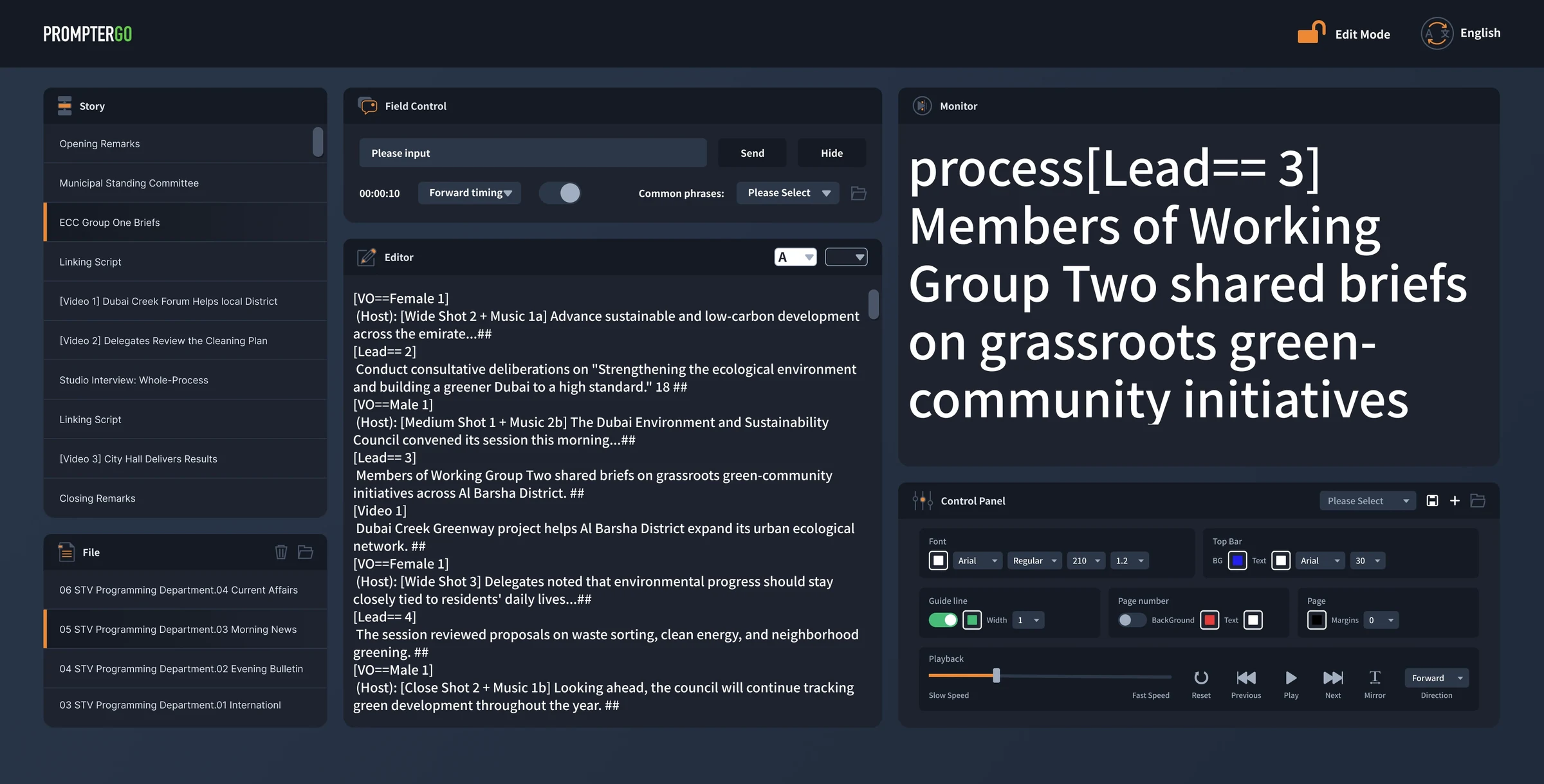
One computer runs the whole prompting position.
Scripts and rundowns come in, a normal or mirrored feed goes out, and everything in between, playback, cues and presenter preferences, stays in the operator's hands.
中文 · English · Русский · 日本語 · 한국어 · Հայերեն · ئۇيغۇرچە | horizontal · vertical · emoji
Plugged into the newsroom.
Rundowns arrive over MOS, with AVID newsroom integration, and the software follows the playout position story by story. A late edit reaches the prompt screen in milliseconds. Without a newsroom feed, it runs local rundowns of its own.
Scrolls the way the presenter works.
The mouse alone runs playback: click to play or pause, right-press to reverse. USB foot pedals, hand wheels, remotes and the keyboard connect directly. The IP control box adds broadcast-desk control, down to the pedal: press to speed up, lift to slow, release to stop.
The control room talks to the talent.
A message box puts instant cues on the prompt screen, with stored phrases one click away, alongside count-up, count-down and clock displays. Each presenter's text and background colors save as a profile and load back before the next show.
When something fails, the script does not.
Every operation is logged, and one shortcut locks the keyboard and mouse against stray input during broadcast. Around the software, the studio deployment adds three more layers.
Newsroom outage
If the upstream newsroom system crashes, the operator imports scripts by hand and stays on air; when it recovers, the software re-tracks the latest rundown automatically.
Backup machine
If the main machine ever goes down, the optional dual-machine setup and its hardware changeover unit switch to the backup so smoothly the presenter never feels it.
Printed-script camera
As a last resort, an optional overhead camera captures the printed script and feeds it to the prompt screen. One click switches to it.
The whole studio on one network.
The newsroom feeds in over MOS as standard, and the director room, announcer controls, the prompter server and every prompter host sit on the same IP fabric. What moves between them is data: scripts and commands, never a video stream.
One rundown reaches every position · every device reports back · standby takes over on failure
The network carries the script, not the picture.
IP prompting is built two ways, and the difference shows up when something breaks.
Streaming video
A central computer renders the prompt as video and streams it to every screen. This is how most NDI-based IP prompters are built: the picture is made in one place, and every prompter depends on that machine, that stream and that network staying up. If the stream stops, the screen has nothing to show.
Sending data, the PROMPTERGO way
The server sends the script itself, with the control commands, as small packets of data. Each prompter host renders the picture right at the camera position. There is no central picture to lose, and a prompter that holds its own script can keep playing.
That is why the safety features below are not add-ons. They fall out of the architecture.
Every prompter in step.
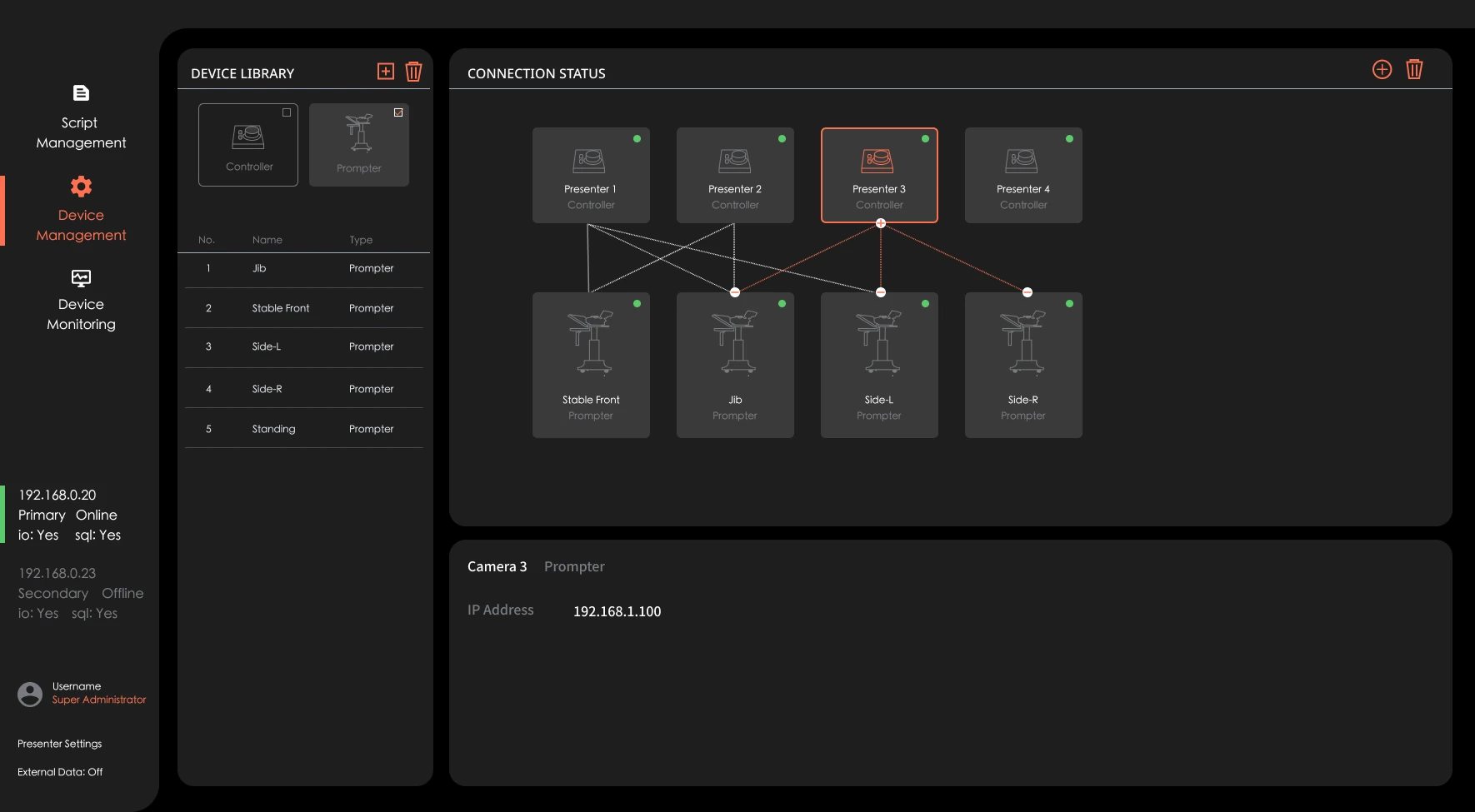
Prompters in the same group scroll in sync, so every camera and screen shows the same line, at up to 120 fps.
Newsroom-native.
MOS rundowns from all major newsroom systems load to any prompter position, archive by program and sort themselves by last edit. Vertical scripts edit and play natively.
Run like a facility, not a PC.
Studios, programs and roles are managed centrally: one administrator assigns people, groups the control boxes by studio, and stores each presenter's colors as a profile.
Built to lose a server and keep scrolling.
Where the desktop software adds safety in optional layers, the IP system ships with it built in. Failover, offline playback and status monitoring run in the architecture itself.
Server failover
Primary and backup servers stay in sync, and if the main one fails the backup takes over automatically.
Network drop
Every prompter host carries the full standalone prompting software on board. If the network dies, the host switches to it by itself: the script is already there, playback continues, and controllers can plug straight into the host.
Status at a glance
One view shows which server is live and which devices are online.
Planning a broadcast or live production workflow?
Tell us how your studio runs and the PROMPTERGO team will configure the right system, desktop or IP, for your workflow.